
AmazingHiring: Summer product updates
With OpenAI dominating our newsfeeds and industry trends, the necessity for a more automated sourcing process grows daily. AmazingHiring is bringing special summer updates to ensur…
Read more7439

The global talent shortage has never been as dramatic as it has been in the last 16 years. New roles are especially difficult to fill when it comes to the tech industry. Software developers, data engineers, and other tech specialists do not have to polish their resumes and actively seek a job.
So, it has long become a recruiter’s job — to find them and reach out. Nowadays, recruiters turn to social and professional networks more than ever. They start to search through LinkedIn, Facebook, Github, Stackoverflow, and, of course, Twitter.
Twitter is a social network originally designed for microblogging. There are more than 486 million users in July 2022 with half of them being daily active. In August alone, there were, on average, 6,000 tweets sent every second – which amounts to 500 million tweets a day.
More importantly, Twitter has become a platform widely used for corporate and personal branding. No wonder, since there are so many tech people promoting themselves, discussing IT-related topics, building communities, and gaining social capital. This is a hidden gem for passive sourcing!
Access to AmazingHiring makes sourcing passive candidates – and finding their social and professional profiles – much easier. Our platform aggregates data from more than 50 websites, including Twitter, Github, LinkedIn, Facebook, Stackoverflow, etc. Its AI algorithms analyze and range candidates’ profiles from most to least relevant. Hours of manual sourcing are now replaced with a few clicks in AmazingHiring.
But if you, for some reason, do not have a subscription to AmazingHiring yet, check out the guideline we have compiled below.
Well, a person’s Twitter account can tell a lot.
For example, a bio contains some main info on a person, something they consider to be self-defining. Usually, it is specialization, a company they work for, something they are passionate about, location, or maybe a link to their website.

Tweets might also give some insights. Some tech specialists tweet about their job and skills, coding projects and challenges, and some IT-related topics. They mention other tech people, colleagues and friends, thought leaders, and those looking for a job.
You can check their following list as well, as their followers might include some other potential passive candidates you might want to reach out to.
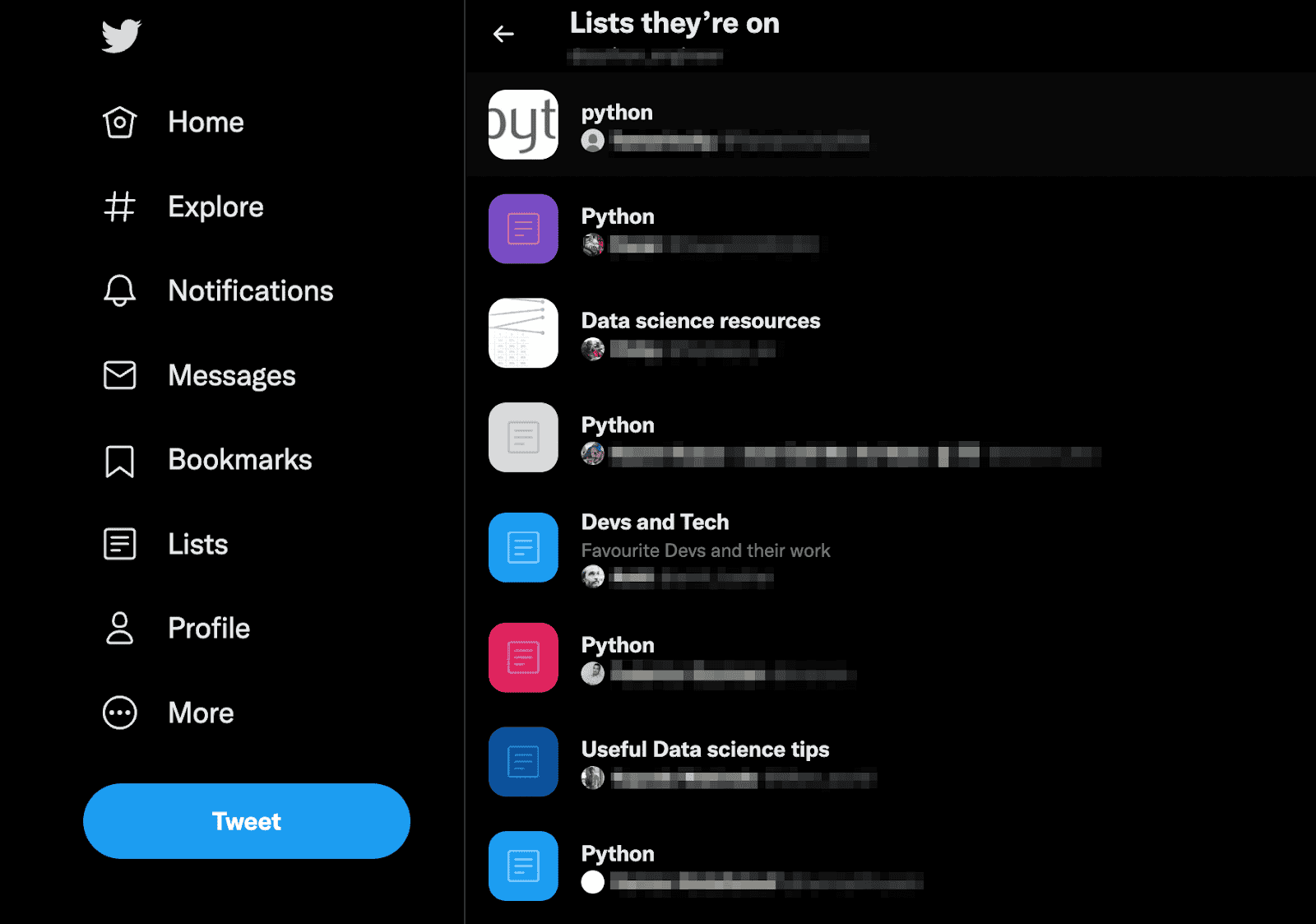
Another source of passive candidates is Twitter Lists. It is a group of Twitter accounts someone creates to organize their feed. Within these lists, one can only see the tweets of the users on the list.
To see lists that someone curates, just click on three horizontal dots on their user profile and choose the “View Lists” option. If you want to view the lists they are on, click on three horizontal dots again and choose the eponymous option. Now, open the lists and explore its members.
The information from a candidate’s Twitter account might be inspirational, in terms of building more personalized and meaningful outreach. Candidate-oriented communication might not only help build rapport, but also contribute to a higher response rate.
When sourcing tech candidates on Twitter, use its advanced search function. The feature works with Boolean logic and allows you to find users by targeting or excluding certain keywords, hashtags, languages, locations, and date ranges. You can also filter the search results by tweets, people, photos, and videos.
Besides, you can search tweets of people mentioning other users within some context. This might be another source for more passive candidates and a chance to grow your network.
Exhaustive How-To:
Here is the direct link to “Advanced Search” functionality you might want to save.
Use “words” fields to type in must-have keywords for the role you are currently working on (e.g. DevOps, AWS, terraform, etc) or just general job-marked phrases (e.g. “open for work”). The field “hashtags” are often used for events or some topic-specific words and phrases (e.g. #100DaysOfDevOps, #Pycon or #GirlsWhoCode).

You can save your search and continue sourcing on Twitter whenever you want. Just click on three horizontal dots and choose the “Save Search” option.
Besides just searching for ready-made Lists with tech people on them, recruiters and sourcers can also use Lists on Twitter as projects or folders.
Candidates’ profiles would be organized in a dedicated place so you would be able to easily track them without officially following them. Moreover, the list itself, if made public, can become the first touch point. So it makes sense to come up with some unhacked name for the list.
Exhaustive How-To:
You can also add someone to your list from their user profile. Just click on three horizontal dots and choose “Add/remove @someone from Lists”.
An alternative way of sourcing passive tech candidates on Twitter is the Google X-Ray search. Google search capabilities are more advanced, and allow you to scan the entire Twitter, including users’ bios, not just tweets.
You might need to know some Boolean operators to build search strings. To learn more about them, check out our article on how to use X-Ray searching for sourcing.
Here are some simple rules for building an effective Boolean string for Twitter:
➡️ site:twitter.com python engineer* OR develop* OR programm* -intitle:python -inurl:status -job* -vacanc*
Of course, following these rules does not guarantee perfect results but thankfully, this sample string can give some ideas on how to build your own search.
Alright, let us say you’re done sourcing on Twitter, and you now have a few Lists with great tech candidates on them. So here comes another question: how to reach out to them?
Here are some options:
The last two options can be easily replaced with AmazingHiring and its Chrome extension. The platform provides detailed info on tech specialists aggregated from 50+ sources on the open web, including their contact details and links to their other accounts.
For more info about effective communication with passive candidates, check out our article “Ultimate Rules for Reaching Out to Passive Candidates”.
Sourcing on social media, including Twitter, can be a powerful way to expand your talent pipeline and build more personalized outreach. To make things easier and more effective, recruiters might consider combining it with AmazingHiring.
AmazingHiring users can quickly find a person’s contact info and their social and professional accounts, and send them a personalized email sequence with our advanced messaging functionality. You can try out our AI-powered platform by .
With OpenAI dominating our newsfeeds and industry trends, the necessity for a more automated sourcing process grows daily. AmazingHiring is bringing special summer updates to ensur…
Read more
This article is written by Eugeniia Filipovich, a Technical Recruiter, Trainer and Manager with more than 6 years of experience who helped scale some of the most robust global tech…
Read more
Technical recruitment is a dynamic industry, where needs and trends are constantly changing. AmazingHiring team has introduced new features to bring even more value to recruiters a…
Read more
New talent sourcing techniques are only efficient if you implement them among the first ones in the field. To help you stay ahead of the curve, AmazingHiring in partnership with Da…
Read moreContact us at sales@amazinghiring.com