
AmazingHiring: Summer product updates
With OpenAI dominating our newsfeeds and industry trends, the necessity for a more automated sourcing process grows daily. AmazingHiring is bringing special summer updates to ensur…
Read more7439

The Sourcing community loves nothing more than sourcing tips and unusual ways of finding candidates. Moreover, AmazingHiring fast tracks the tech recruiting process by automating sourcing from all major social and professional networks. Additionally, Amazing Hiring provides an extensive range of hints on how to create elaborate search queries to source the right candidate profiles for any technical recruiter.
Utilize these life hacks when you feel that you’re experiencing a lack of creativity and you’re seeking fresh sourcing ideas.
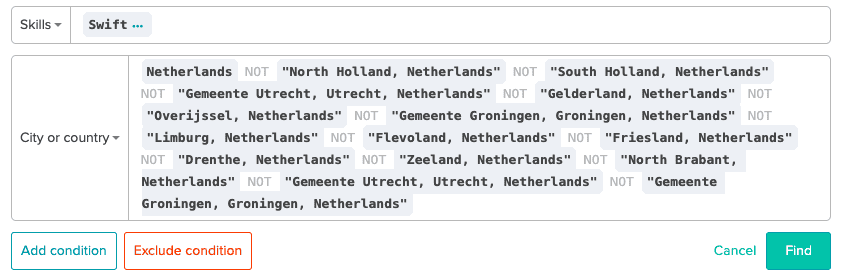
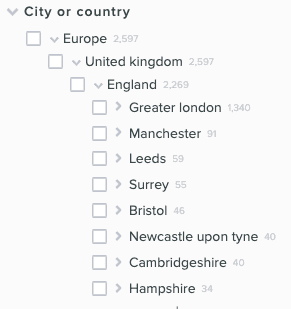
Let’s try to find Swift-developers from Holland. Use “NOT” operator to EXCLUDE the most popular cities to see people who most probably mentioned the Netherlands as a location, but didn’t specify the city at all.
Answer: Use the “OR” builder in spreadsheets to make a company list.
Create a company list in the spreadsheet
Insert ORs in the second column
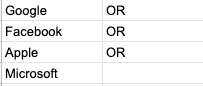
Сopy both columns
Paste it in the URL bar in your browser

Copy again
Paste in the Company search on AmazingHiring

You will get the list of people who are employed or who were employed by the selected companies.
For example, let’s try finding people from the EU (outside Poland) who speak Polish.
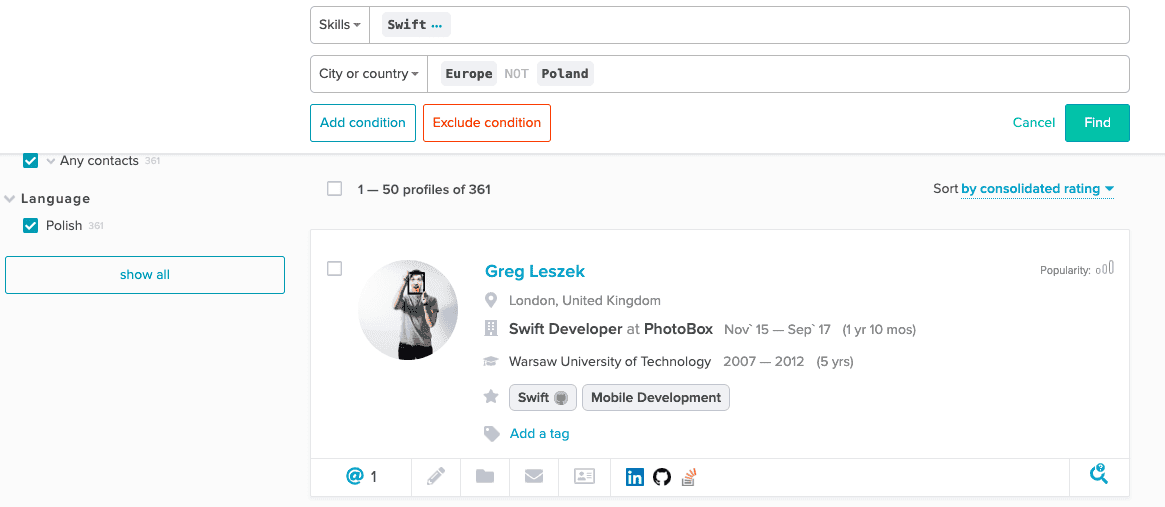
Another hint is to use the “University” filter, but the search results can be broader in this case.
Easy! Let’s search for UK companies that top-ruby developers are employed by. Enter your requirements to the AI search in AmazingHiring.

Then open a Company Filter and find new donors for your market mapping.
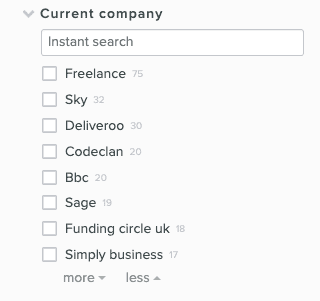
Use the Location Filter in your search in AmazingHiring. You will see the distribution of the developers with the required skills by cities.

In AmazingHiring select Java technology and the location. In the keyword field, insert bank and asterisk after it = bank*.

Use Phantombuster or DataMiner to parse lists from Facebook/ Linkedin.
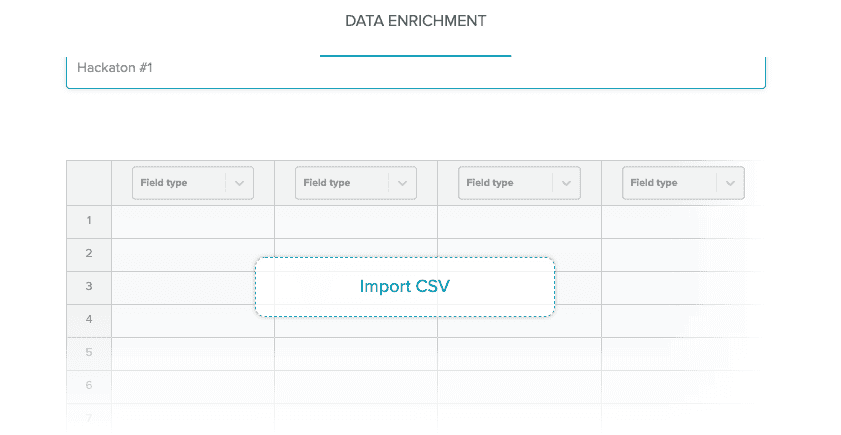
Upload the profile links to the Data Enrichment and let AmazingHiring add more information about the prospects.
You can parse people, who liked your page or attended some target events and convert them into the potential candidates matching them with your current job openings.
NB! More use cases of how to use Data Enrichment are coming soon! Claim for your free 150 Data Enrichment credits already now!
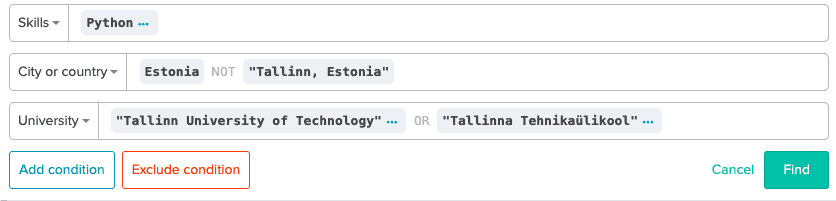
You may need to find candidates outside capital cities but who have studied in top universities. Or you’d like to alter your search queries to find new profiles whom you haven’t sourced yet.
We recommend using the Education filter for such cases.
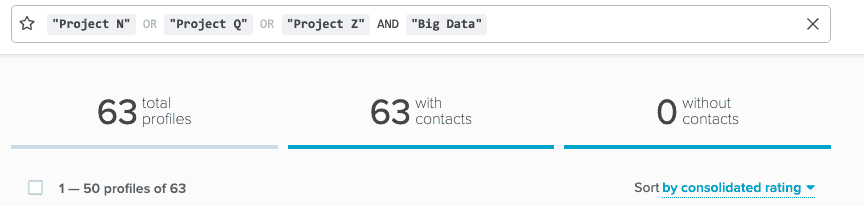
Open your previous vacancy folders and refine the search by adding new requirements for the project.
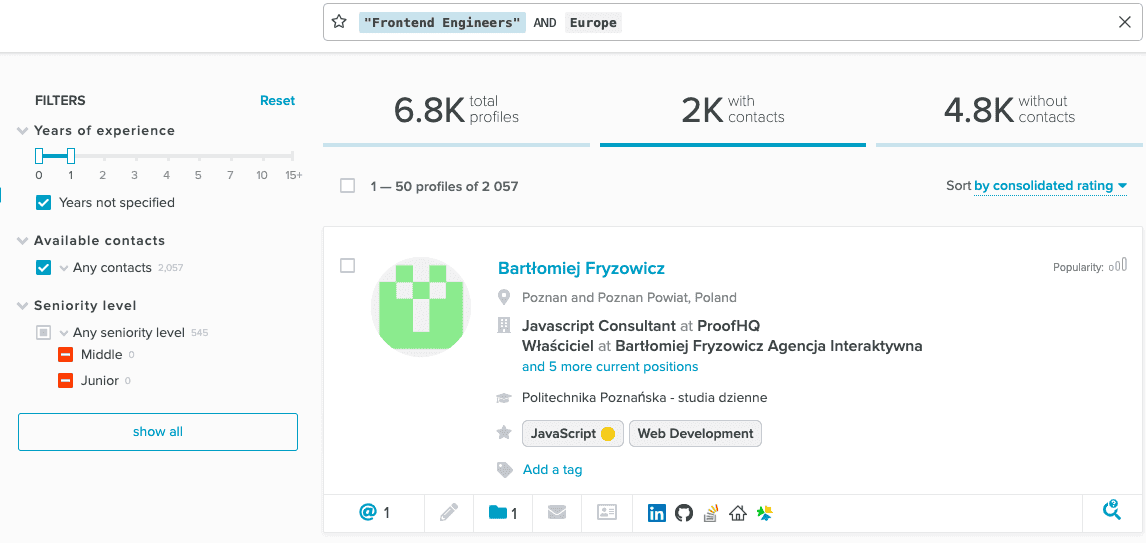
When a C-level person doesn’t provide their full (or significant part) of the work experience, the search systems may consider them as under-experienced and exclude from the search results.
Combine little years of experience with the seniority level filter in AmaingHiring to find these hidden stars!
With OpenAI dominating our newsfeeds and industry trends, the necessity for a more automated sourcing process grows daily. AmazingHiring is bringing special summer updates to ensur…
Read more
This article is written by Eugeniia Filipovich, a Technical Recruiter, Trainer and Manager with more than 6 years of experience who helped scale some of the most robust global tech…
Read more
Technical recruitment is a dynamic industry, where needs and trends are constantly changing. AmazingHiring team has introduced new features to bring even more value to recruiters a…
Read more
Why use Twitter for sourcing? The global talent shortage has never been as dramatic as it has been in the last 16 years. New roles are especially difficult to fill when it comes to…
Read moreContact us at sales@amazinghiring.com